

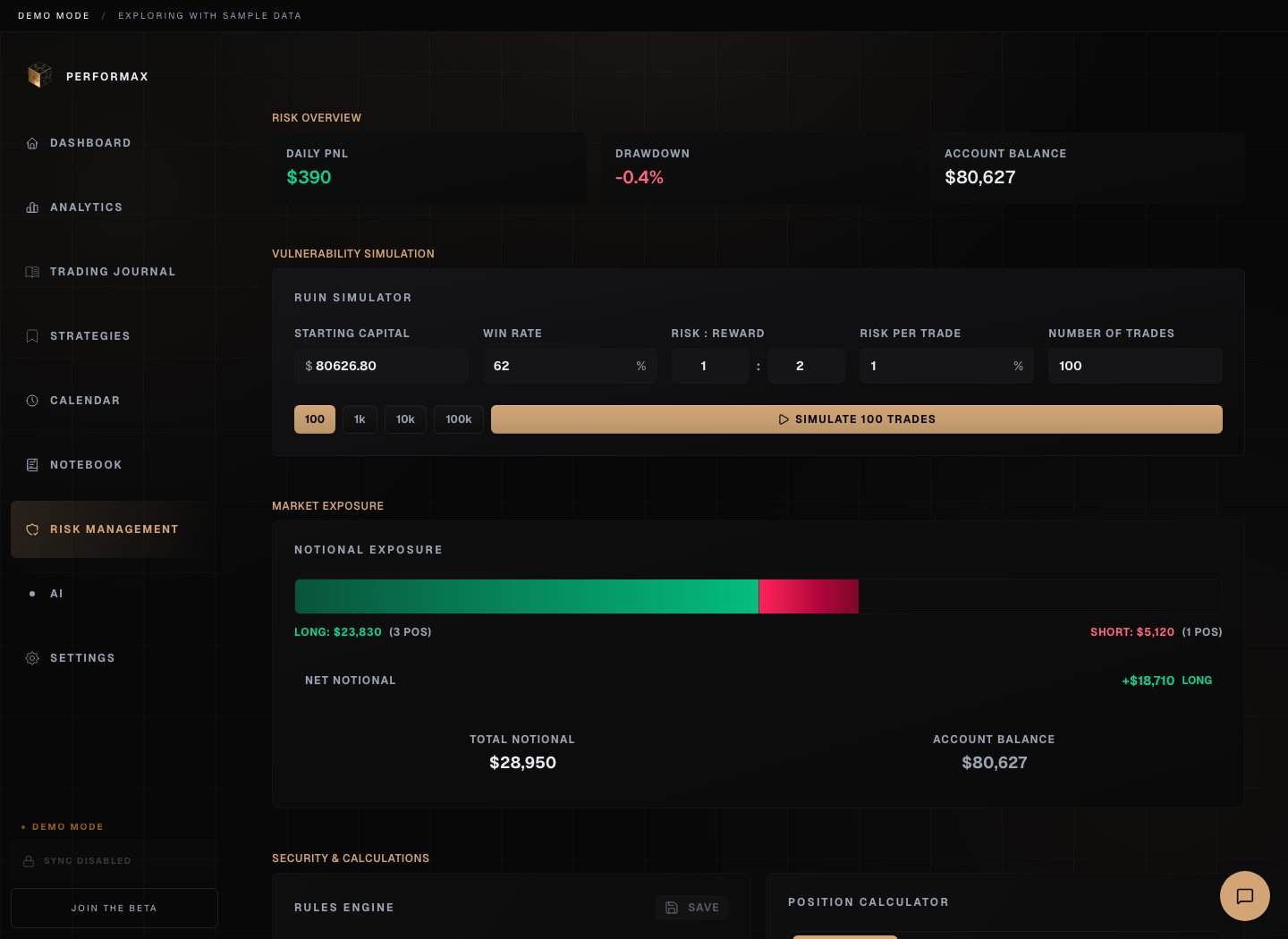
Portfolio overview
The overview can show:- account balance;
- open exposure;
- current drawdown;
- daily P&L;
- open positions;
- available and used margin when the exchange provides it.
Total exposure
Total exposure summarizes:- long exposure;
- short exposure;
- net exposure;
- gross exposure;
- exposure as a percentage of account value;
- per-asset concentration.
Position size calculator
Inputs:- account balance;
- risk percentage or risk amount;
- entry price;
- stop or invalidation price;
- optional target price.
- position size;
- position value;
- amount at risk;
- required leverage estimate;
- risk/reward ratio when target is valid.
Risk rules
Risk rules are user-defined thresholds. Examples:- max risk per trade;
- max daily loss;
- max open positions;
- max exposure per asset;
- max total exposure;
- cooldown after losses.
Ruin and stress simulations
Simulations are educational tools. They depend on assumptions such as win rate, average win, average loss, risk per trade, and number of trades. Use them to understand sensitivity to sizing and streaks. Do not treat simulated survival probability as a forecast.Alerts
Risk alerts can notify you when a configured threshold is reached. Depending on preferences, alerts can appear in app, by email, or as browser notifications. Alerts do not place, cancel, or close exchange orders.Data quality
Risk views are only as good as the available data:- open positions must sync correctly;
- cashflows must be complete for balance-aware drawdown;
- risk per trade must be configured for R-Multiple;
- exchange limitations can delay or omit some fields.