

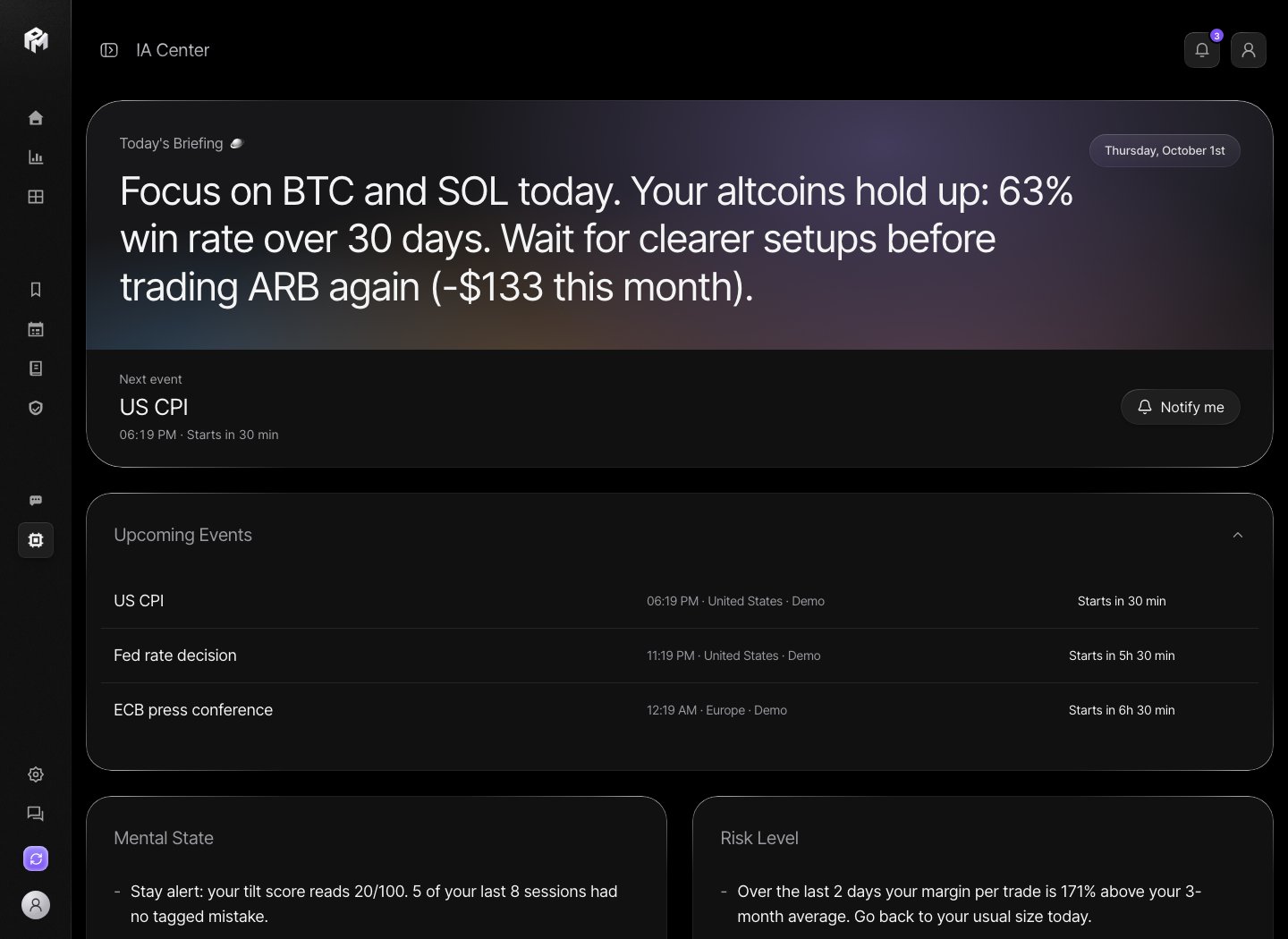
Morning briefing
The AI Center needs a connected exchange and synced trades. Until then it shows No briefing yet. Today’s Briefing is written once a day from your trades of the last 3 days, your last 30 days by pair and strategy, and the market context. It shows:- a one-line observation of your current risk state;
- the next economic event, with Notify me to get a notification 10 minutes before it starts;
- Upcoming Events: high-impact events in the next 3 days;
- Mental State and Risk Level, each with a short explanation.
Trader profile
Below the briefing, the trader profile needs at least 5 trades:- Global profile: scores for Discipline, Risk Management, Consistency, Emotional and Timing, with your strengths and weaknesses;
- This week: a summary of the last 7 days with Mental, Highlight, To improve, Patterns detected and Priority action.
Golden rules
In AI Chat, Pin as rule on any reply lets you edit the text, choose a category (Psychology, Risk, Strategy, Timing, General) and pin it. Pinned rules appear under My golden rules in the AI Center, where you can delete them. The AI reads them and reminds you when a question goes against one. Golden rules are not checked against your trades. To have a rule tracked automatically, use the Coach.Tilt alerts
While the app is open, Performax checks your recent trades every few minutes for signs of emotional trading:- a new trade a few minutes after a loss;
- a position more than twice your average size after recent losses;
- more than 10 trades in the last hour;
- 3 losses in a row with growing size;
- leverage rising after a loss;
- a position that appears to have been liquidated.